What it does
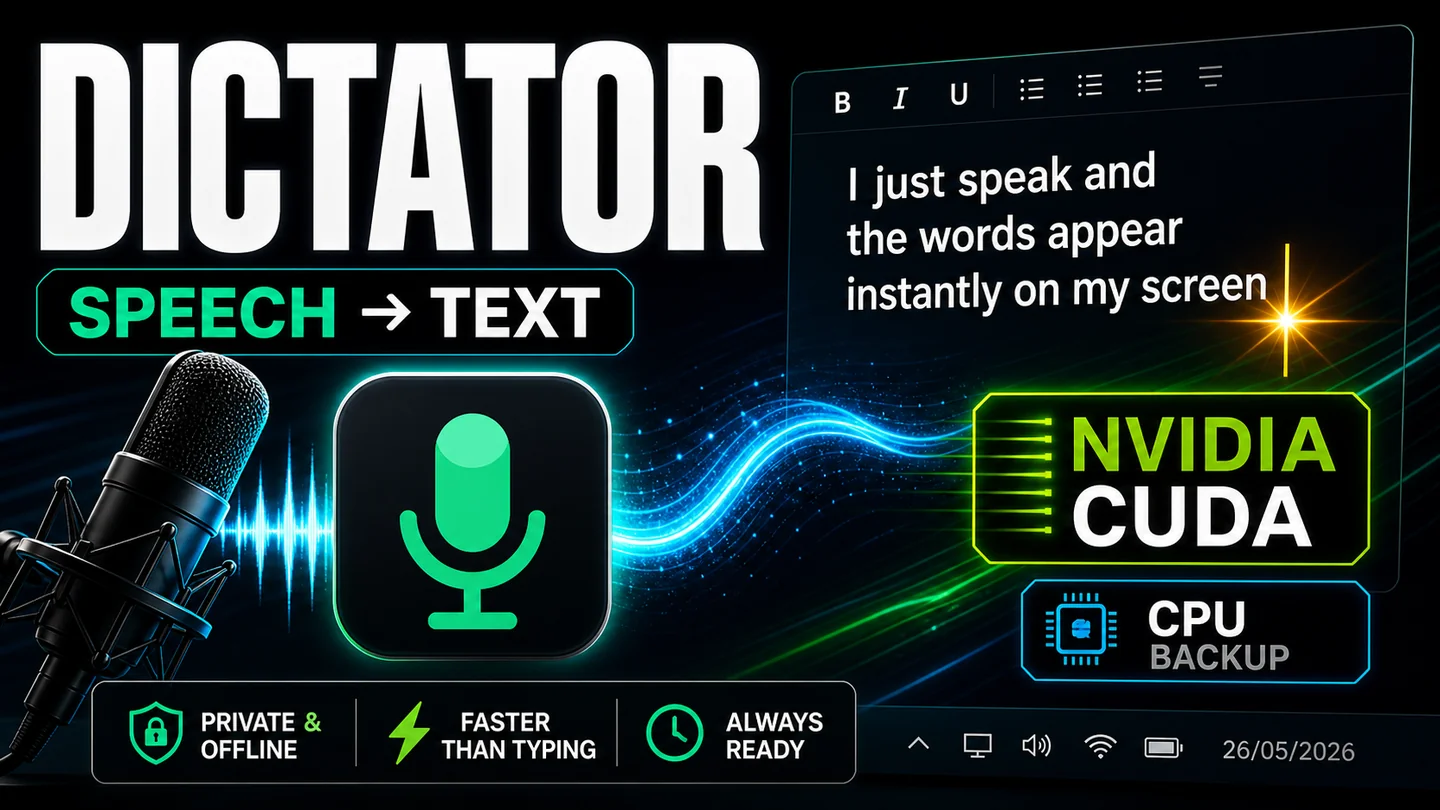
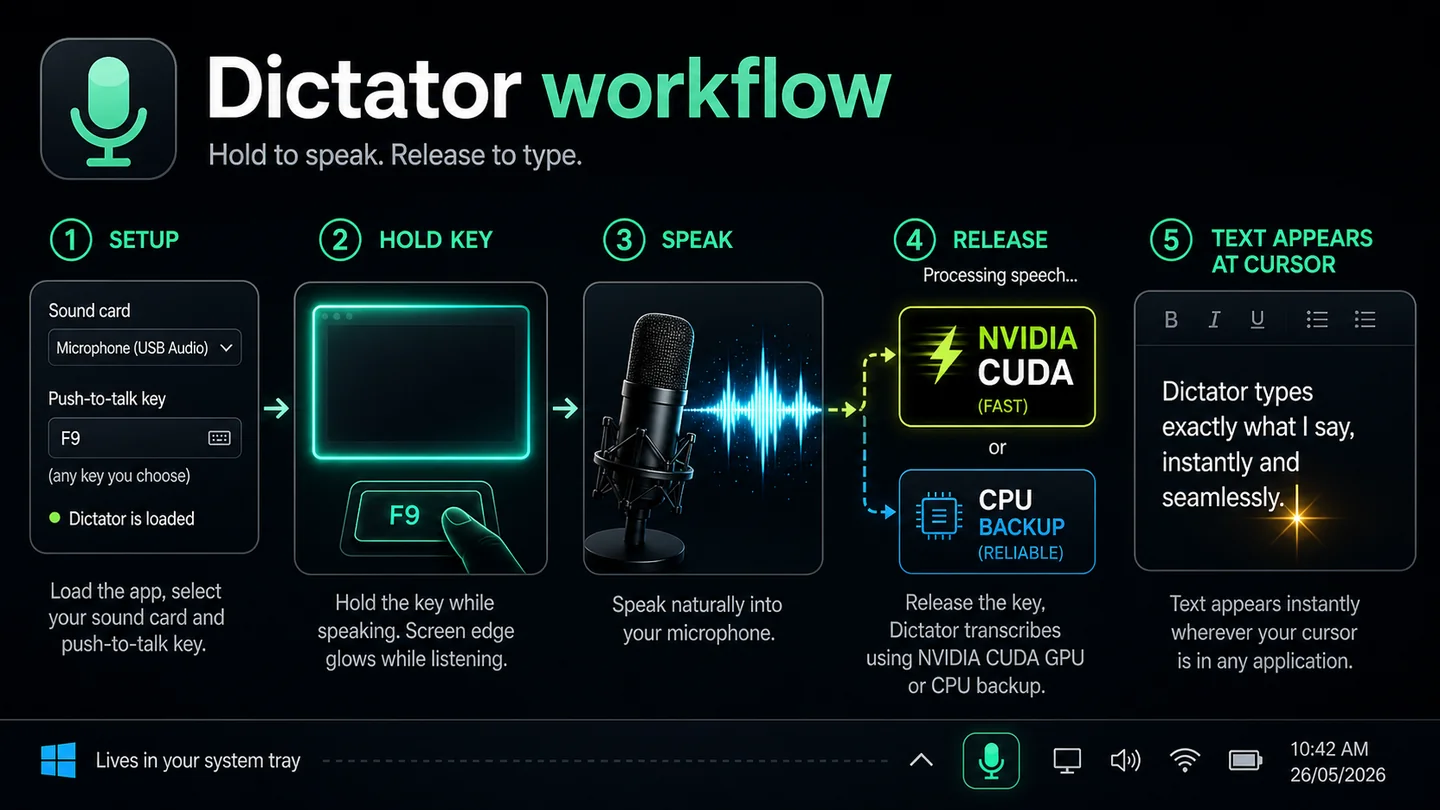
Dictator is a desktop dictation app for Windows. Hold a hotkey, speak, release. Your words appear instantly wherever your cursor is - any text field, any application, any browser tab. Everything runs locally on your machine. No cloud, no upload, no subscription.
Who it's for
Writers, researchers, administrators, anyone who types for a living, anyone whose hands hurt, anyone whose thoughts move faster than their fingers. If you spend hours a day at a keyboard, you'll wonder how you ever managed without it.
Features
- Hold-to-speak hotkey: press, talk, release
- Configurable trigger key (F9 default, change to anything)
- Fully offline: nothing leaves your computer
- Nvidia GPU acceleration for near-instant transcription
- CPU fallback if you don't have an Nvidia card
- Pastes straight into the active application at your cursor
- Optional glow border around the screen while listening
- Animated system tray icon shows app state at a glance
- Custom word corrections (e.g. teach it your proper nouns)
- System tray app: always ready, never in your way
- No subscription, no account
System requirements
Windows 10 or 11 (64-bit). Nvidia GPU recommended for fastest transcription; CPU mode works on any machine. Per-user install, no administrator rights required.
How to buy
Click the link below, and your licence key and download link arrive by email straight after purchase.
FAQ
I installed Dictator but I can't see it - where is it?
Dictator lives in your system tray, next to the clock. On Windows 11 it often sits inside the hidden overflow (the small up-arrow).
Quick: click the up-arrow, drag the Dictator icon onto the visible tray. Hover to confirm the tooltip says "Dictator".
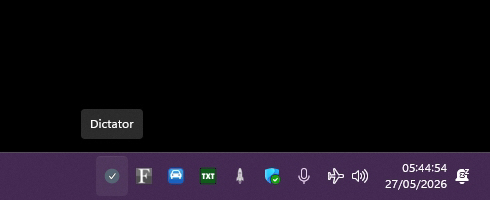
No up-arrow on your taskbar? Use the longer route instead:
1. Right-click an empty bit of taskbar, choose "Taskbar settings".
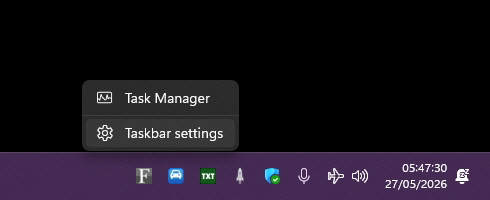
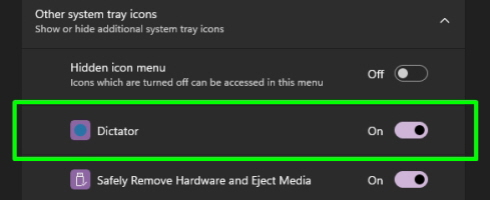
2. Under "Other system tray icons", switch Dictator to On. Done.