What it does
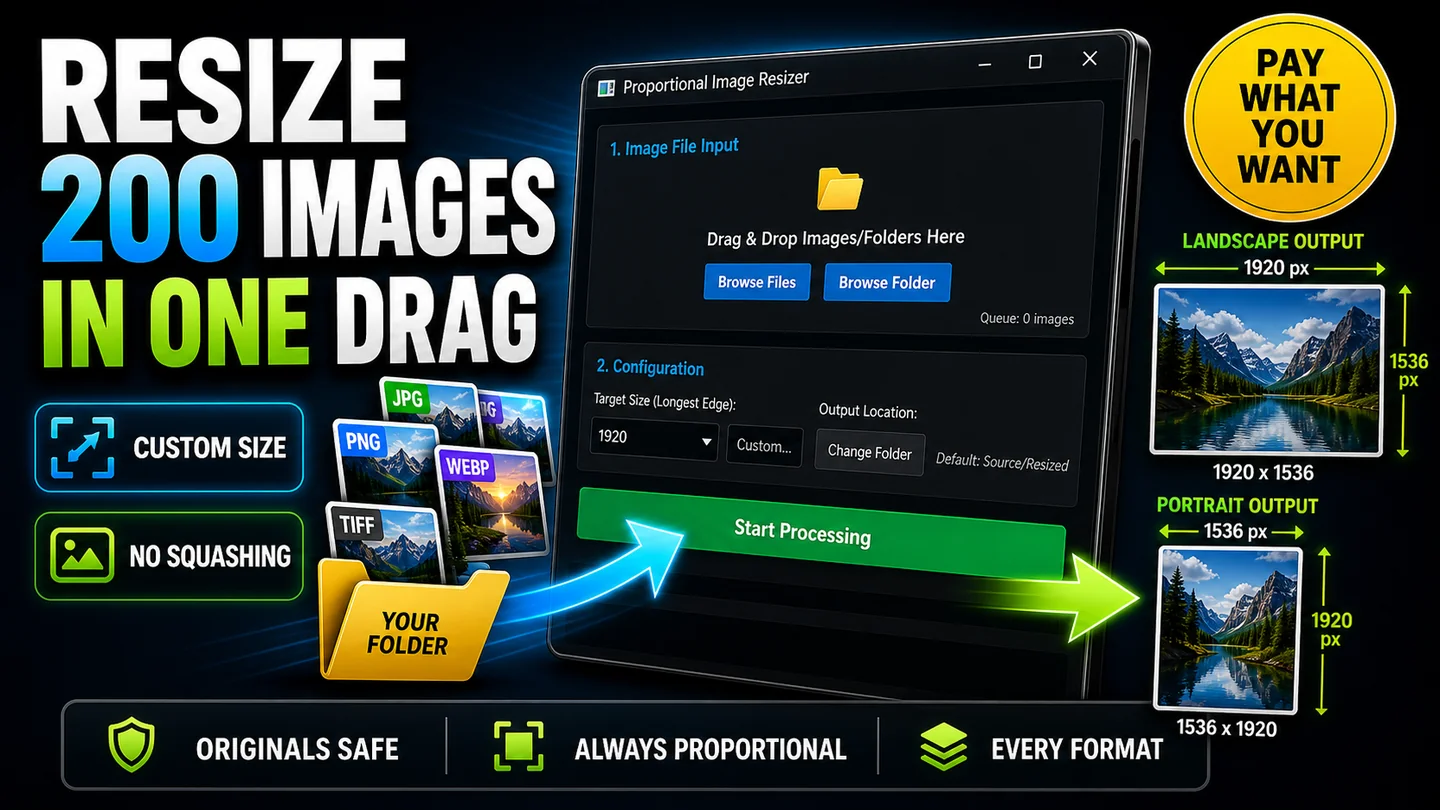
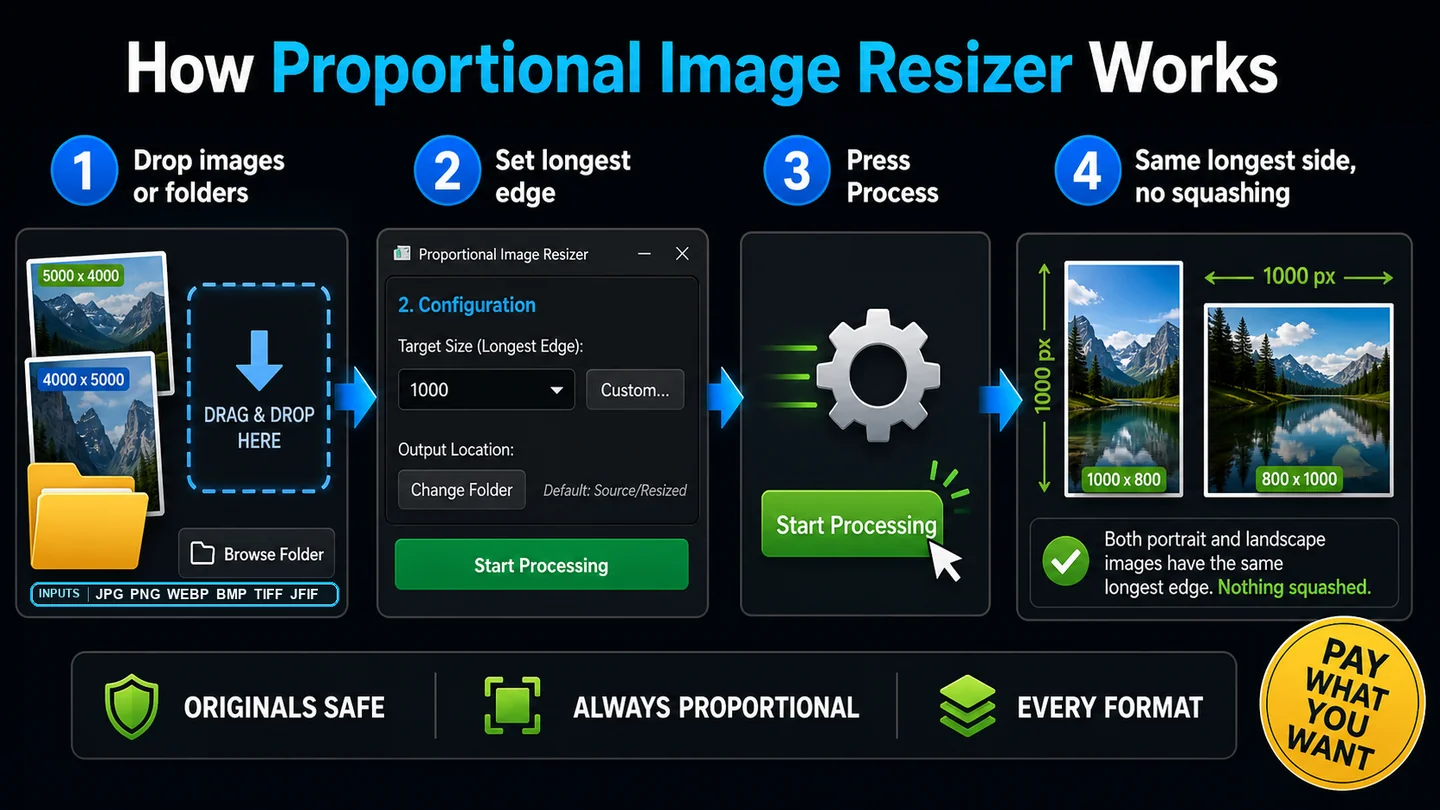
Proportional Image Resizer batch-resizes hundreds, thousands, or tens of thousands of images at once, keeping the original aspect ratio every time. Drop in a folder, pick a longest-edge size, hit go. The whole batch is done in seconds, each file saved to a clean Resized subfolder with your originals left untouched.
Why it's different
Most batch resizers are slow, web-only, lossy, or they squash your aspect ratio the moment you pick a size that doesn't match. This one runs natively on your Windows PC, uses every CPU core in parallel, and keeps every image proportional automatically. The longest edge is the only number you set. The other edge follows the original ratio. Give it a few hundred or a few thousand images and it'll whiz through them.
Features
- One-drag batch resize. Drop a folder, hit go, walk away.
- Always proportional. Set the longest edge. The rest follows. Nothing squashed.
- LANCZOS quality both ways. Sharp upscales, clean downscales.
- Sensible presets. 512, 768, 1024, 1216, 1280, 1600, 1920, 2048, 2432, 3840, 4096 - covers many use cases.
- Custom size on demand. Type any pixel value, override the preset.
- All cores, all the time. Parallel processing turns a 10-minute job into under a minute.
- Drag, drop, or browse. Files, folders, or whole folder trees - recursive.
- Every common format. JPG, PNG, WebP, BMP, TIFF, JFIF. Case-insensitive.
- Lossless formats stay lossless. Drop in PNGs, TIFFs or BMPs and they come out at full quality, same format.
- Optimised JPEG at quality 90. Smaller files, no visible loss.
- Phone photos come out upright. Auto EXIF rotation.
- Mixed folders are fine. Non-images and corrupt files are skipped, never crash the batch.
- Live progress log. See every file, every dimension change, in real time.
- One-click stop. Cancel mid-batch, cleanly.
- Originals untouched. Saves to a clean Resized subfolder, or any folder you pick.
- Pay what you want. Free if you're skint. Tip what it's worth to you if it saved you an hour.
- Per-user Windows installer. No admin rights, no bloat.
Who it's for
Honestly, anyone with a folder full of images that need to be a different size. Artists and photographers prepping portfolios and prints. eBay, Etsy, and Vinted sellers batch-processing product photos. Real estate photographers and agents pushing listing photos to portals with size caps. Bloggers, Substack writers, and YouTubers hitting upload limits or building thumbnails. Parents emailing the holiday photos to family without choking grandma's inbox. Anyone who has ever right-clicked, Resize, OK two hundred times in a row.
System requirements
Windows 10 or 11 (64-bit). Per-user install, no administrator rights required.
How to buy
This one is pay what you want. Click the Buy Now button, set whatever amount you like at the checkout. Zero is fine if you're skint. Your download arrives by email straight after. If the app saves you time, please consider chipping in what an hour of your time is worth - it keeps Pure Mint going and keeps tools like this coming.